
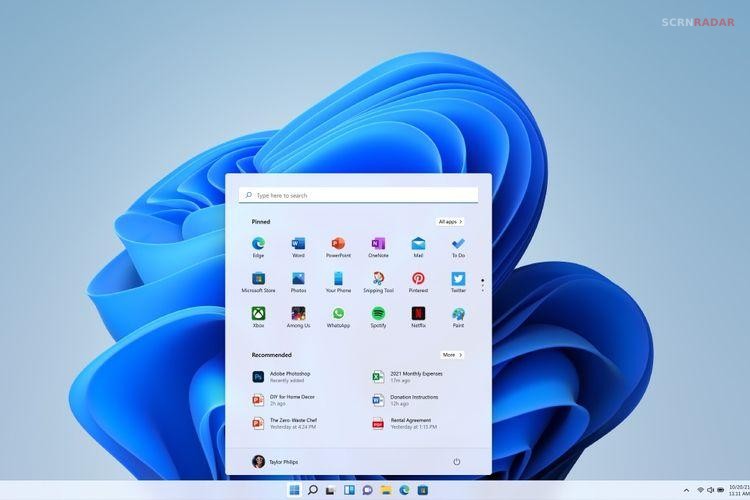
Windows 11 is Microsoft’s current desktop operating system, designed as a successor to Windows 10 while retaining much of the underlying Windows foundation. It introduced a redesigned interface centered around a simplified Start menu and taskbar, along with rounded window corners, new system icons, updated Settings, and a refreshed desktop experience. Microsoft also placed greater emphasis on security by requiring features such as TPM 2.0 and Secure Boot on supported PCs.
Beyond its visual changes, Windows 11 includes productivity features such as Snap Layouts, multiple desktop support, improved window management, and integration with Microsoft services. Its hardware requirements are stricter than Windows 10, which means some older computers cannot officially upgrade. Windows 11 continues to receive feature updates and monthly security updates, making it an evolving operating system rather than a fixed release.
What Is Windows 11 and What Features Does It Offer?
The most noticeable change in Windows 11 is its redesigned desktop experience. The Start menu and taskbar were given a centered layout, while the interface introduced a cleaner visual language and the new Bloom wallpaper. The Start menu provides access to pinned applications, installed programs, recommended content, search, account controls, and power options, although Microsoft has continued changing its design through later updates.
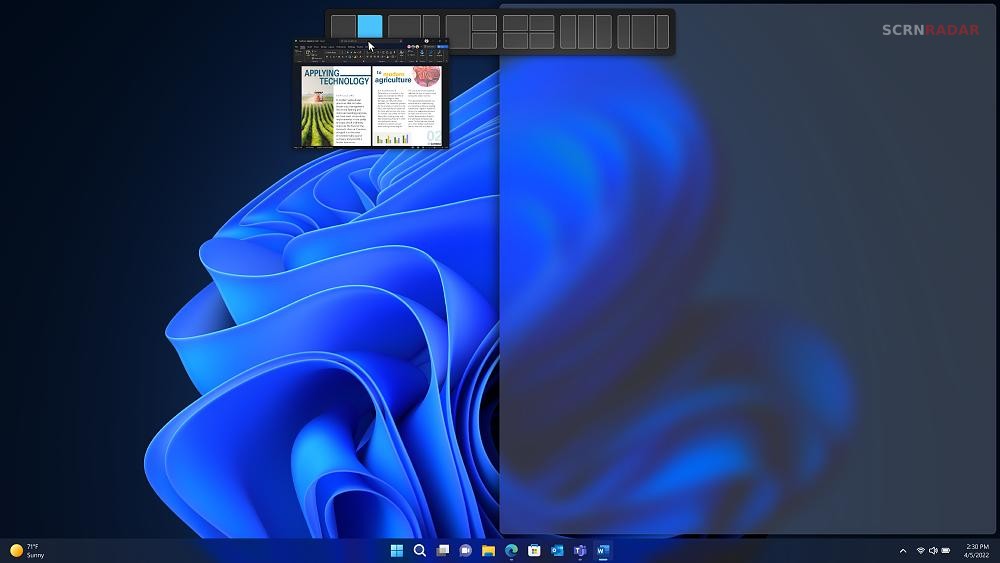
Windows 11 also places considerable emphasis on multitasking. Snap Layouts allow users to quickly arrange multiple application windows into predefined configurations, making it easier to work with several programs simultaneously. Virtual desktops, improved window management, and features designed for hybrid work further expand the operating system’s productivity focus.
Security is another major part of Windows 11’s design. Official minimum requirements include a compatible 64-bit processor running at 1 GHz or faster with at least two cores, 4 GB of RAM, 64 GB of storage, UEFI firmware with Secure Boot capability, TPM 2.0, and a DirectX 12-compatible graphics processor. Windows 11 Home also requires internet connectivity and a Microsoft account during initial setup.
Windows 11 is therefore more than a visual replacement for Windows 10. Its combination of a redesigned interface, stronger security baseline, productivity features, gaming technologies, and regular feature updates makes it Microsoft’s long-term desktop platform. Users with older unsupported hardware can technically find ways to install it, but Microsoft warns that unsupported devices may experience compatibility problems and are not guaranteed to receive updates.